Everything in Huddle.
Huddle is built around your department. Here's what's in the app today, with screens from the app itself.
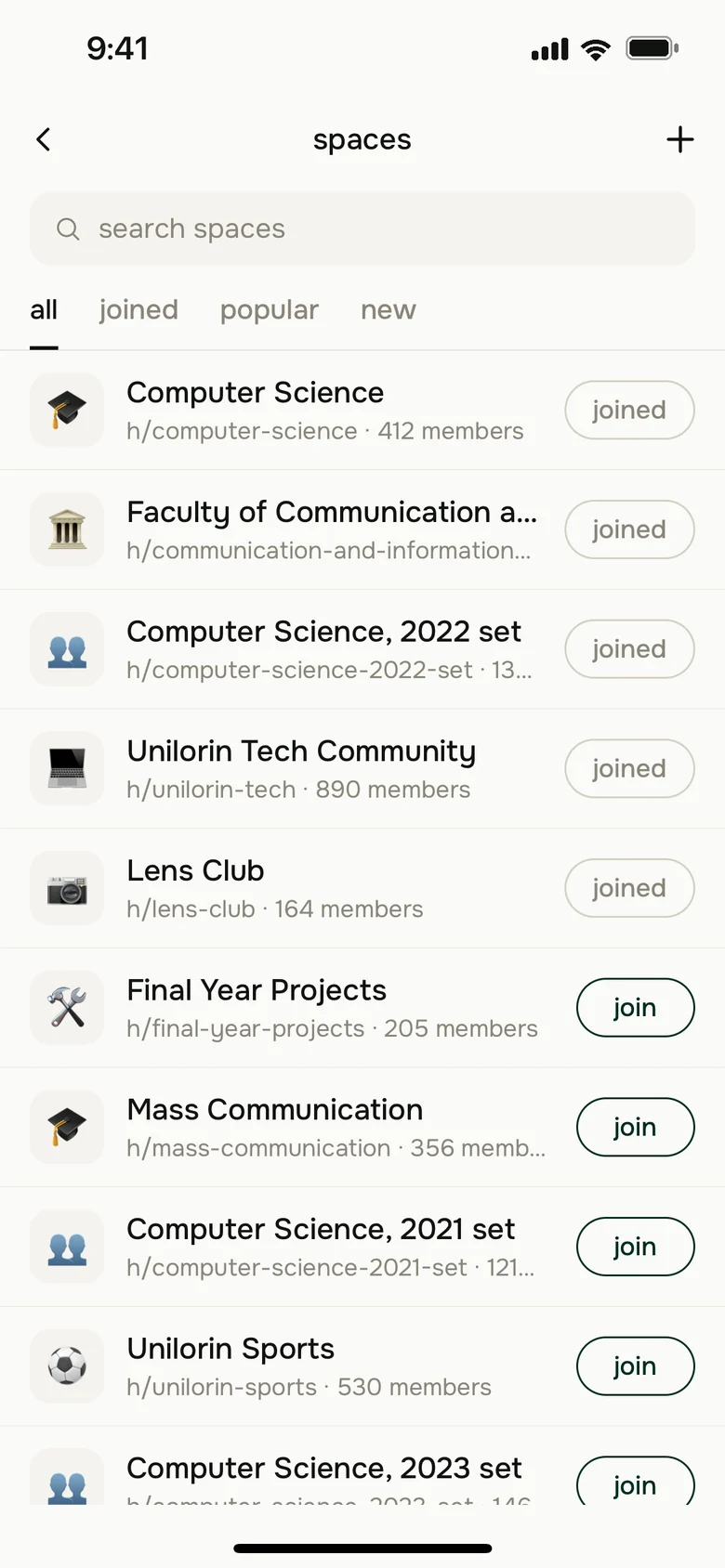
Your department, your faculty and your set.
When you sign up you pick your faculty and department. Huddle puts you in their spaces, and your set's, so the first time you open the feed it's already about your course.
- Clubs and campus groups have spaces too. Join as many as you like.
- Course reps and lecturers carry a role tag, so you can tell who's posting for the department.
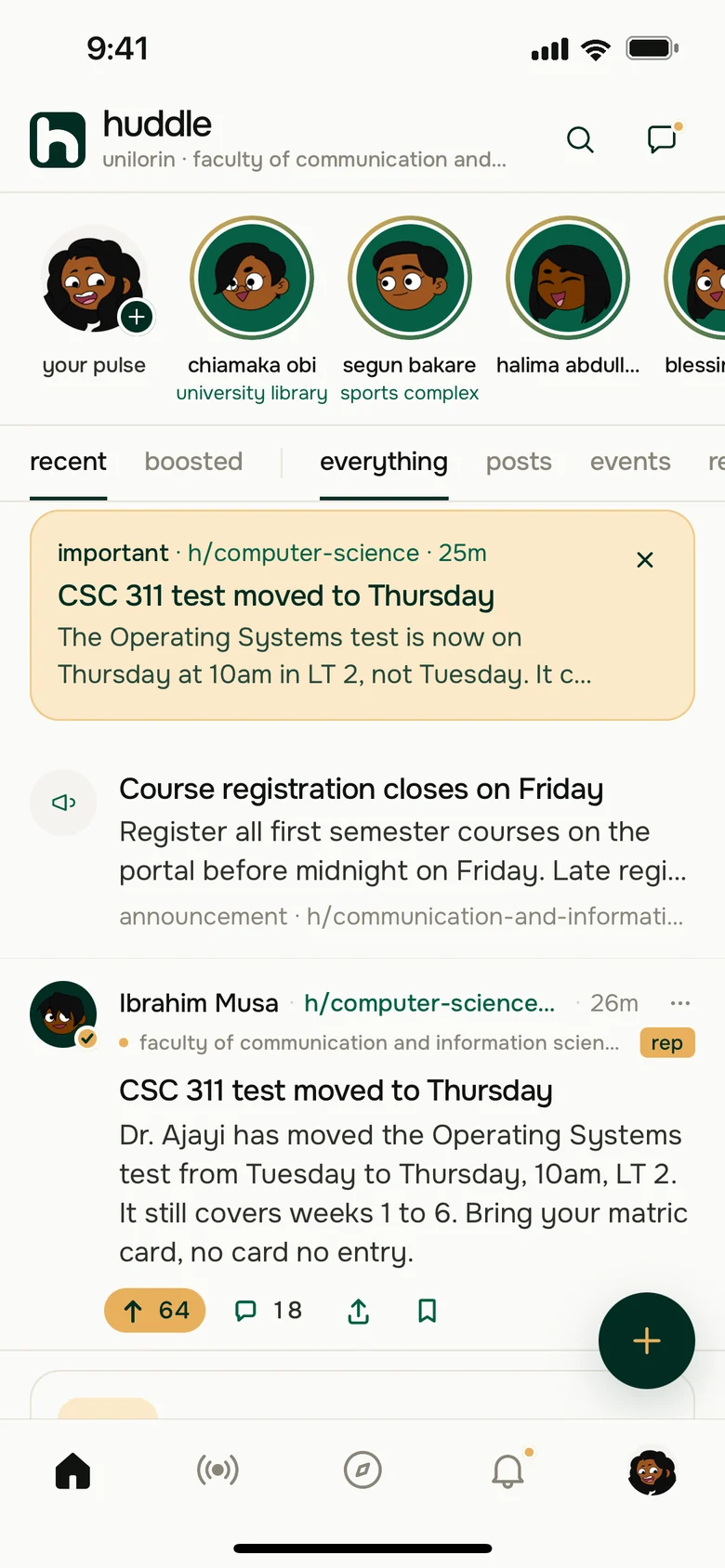
The notice you can't afford to miss.
When your department posts something important, it sits at the top of your feed until you close it, and everyone in the space gets an alert. Test moved, venue changed, registration closing: one post and the whole class knows.
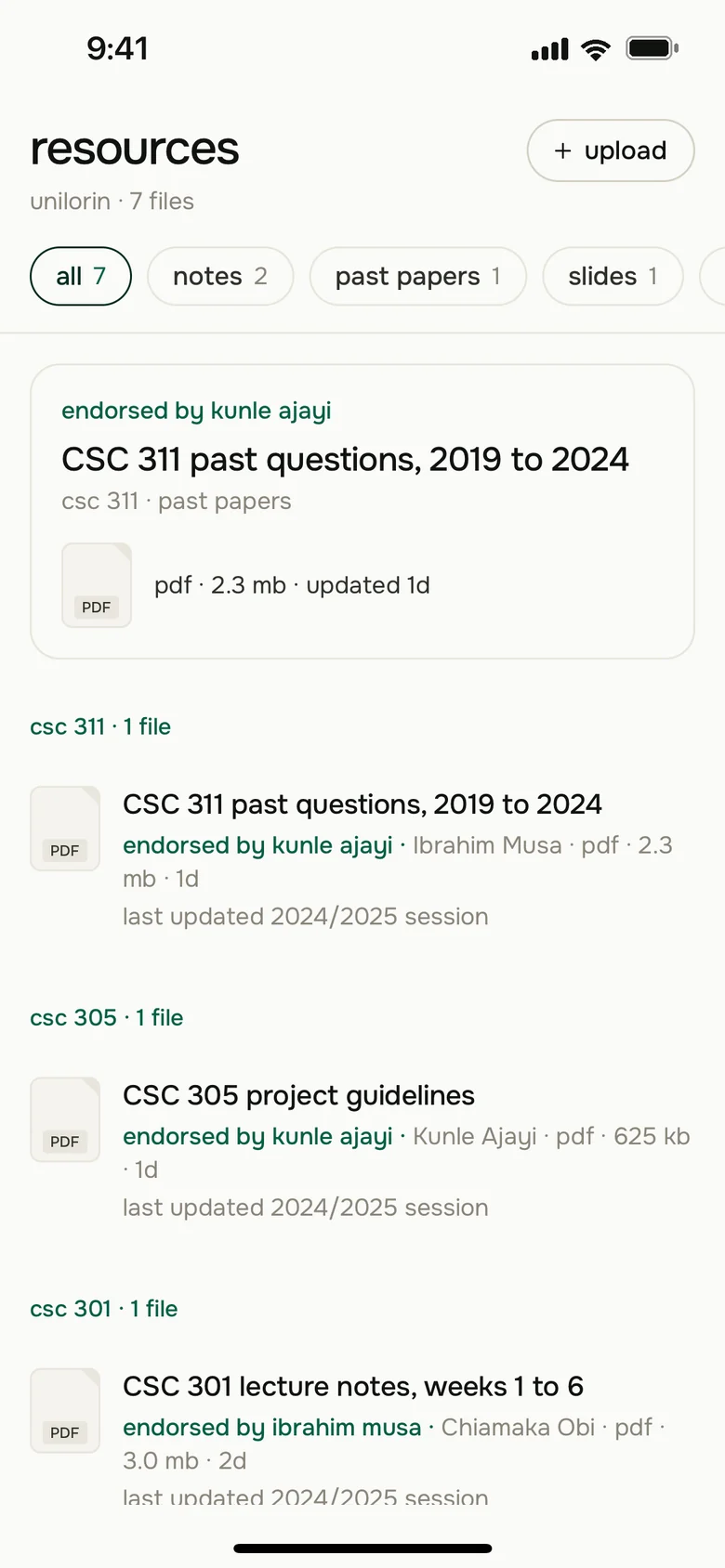
Last year's papers, sorted by course code.
Students share past questions, lecture notes, slides and tutorials, tagged with the courses they cover. Everything for CSC 311 sits together under CSC 311.
- PDFs open right in the app, and you can save a copy to your phone.
- When a lecturer or course rep endorses a file, it says so on the file.
- Upload PDF, Word or PowerPoint files from your phone.
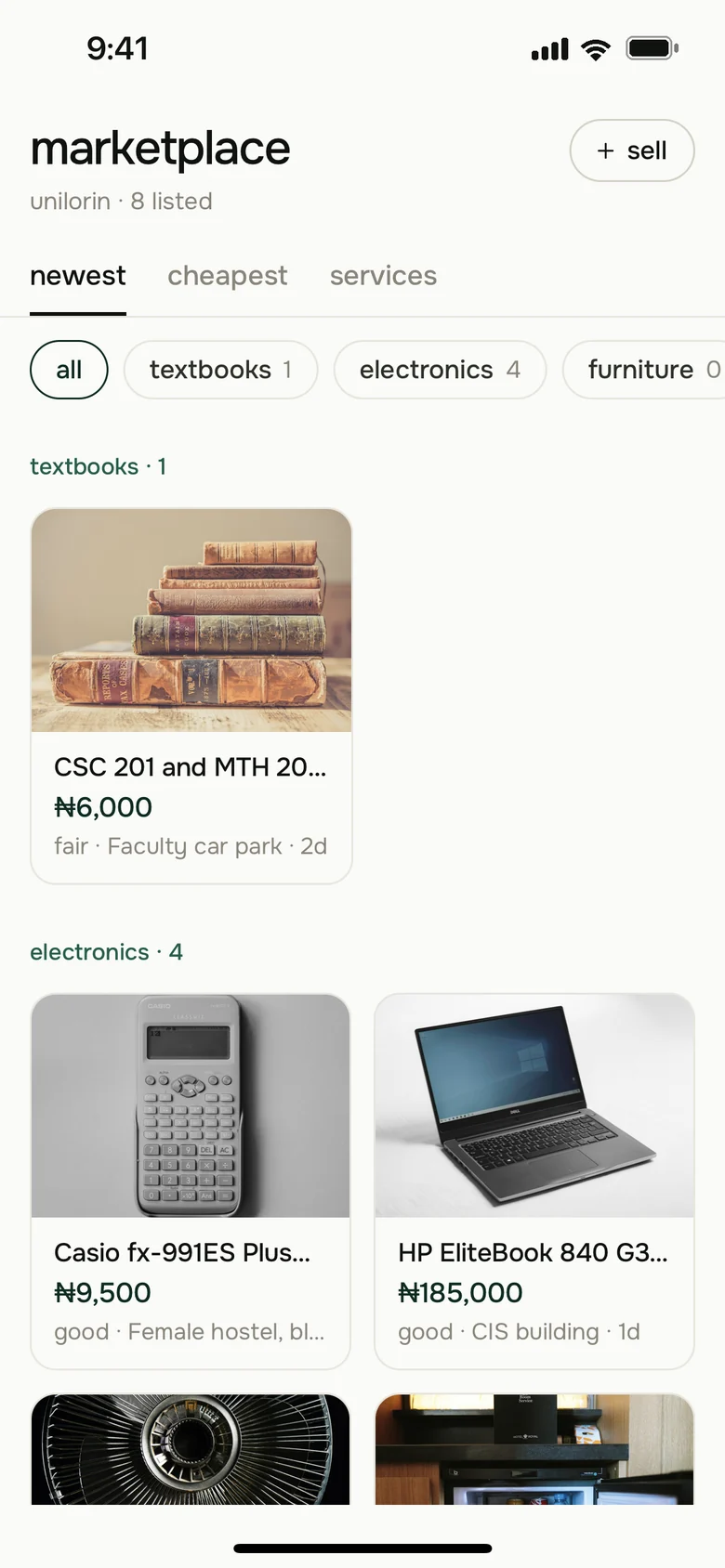
Buy and sell with people on your campus.
List a textbook, a laptop or the fan you don't need anymore, with photos and a price. Buyers message you in the app, and you meet on campus to hand it over.
- Huddle doesn't handle the money. You and the buyer sort out payment between you.
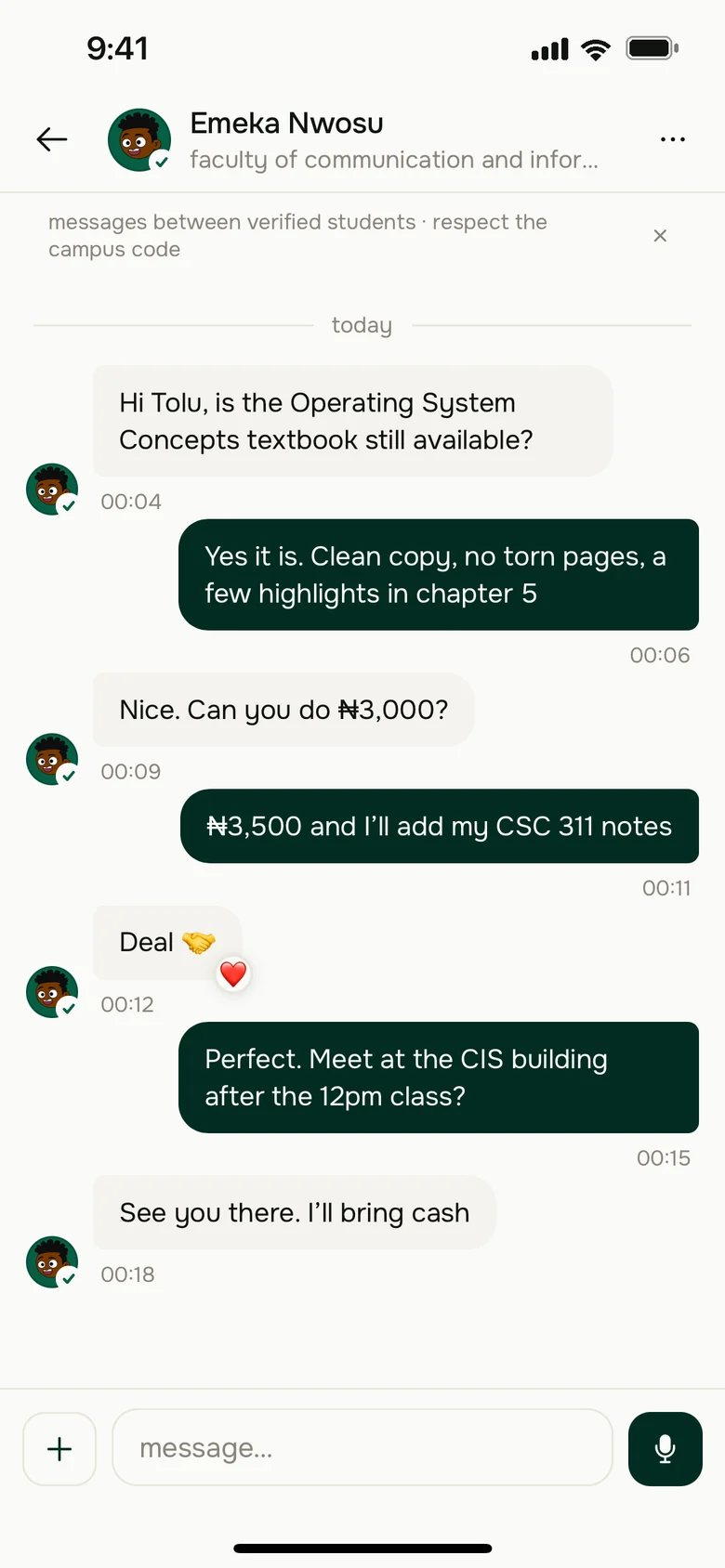
Message anyone on your course.
Start a chat from someone's profile or from a listing, or make a group for your project team. Send a voice note when typing it out is too much.
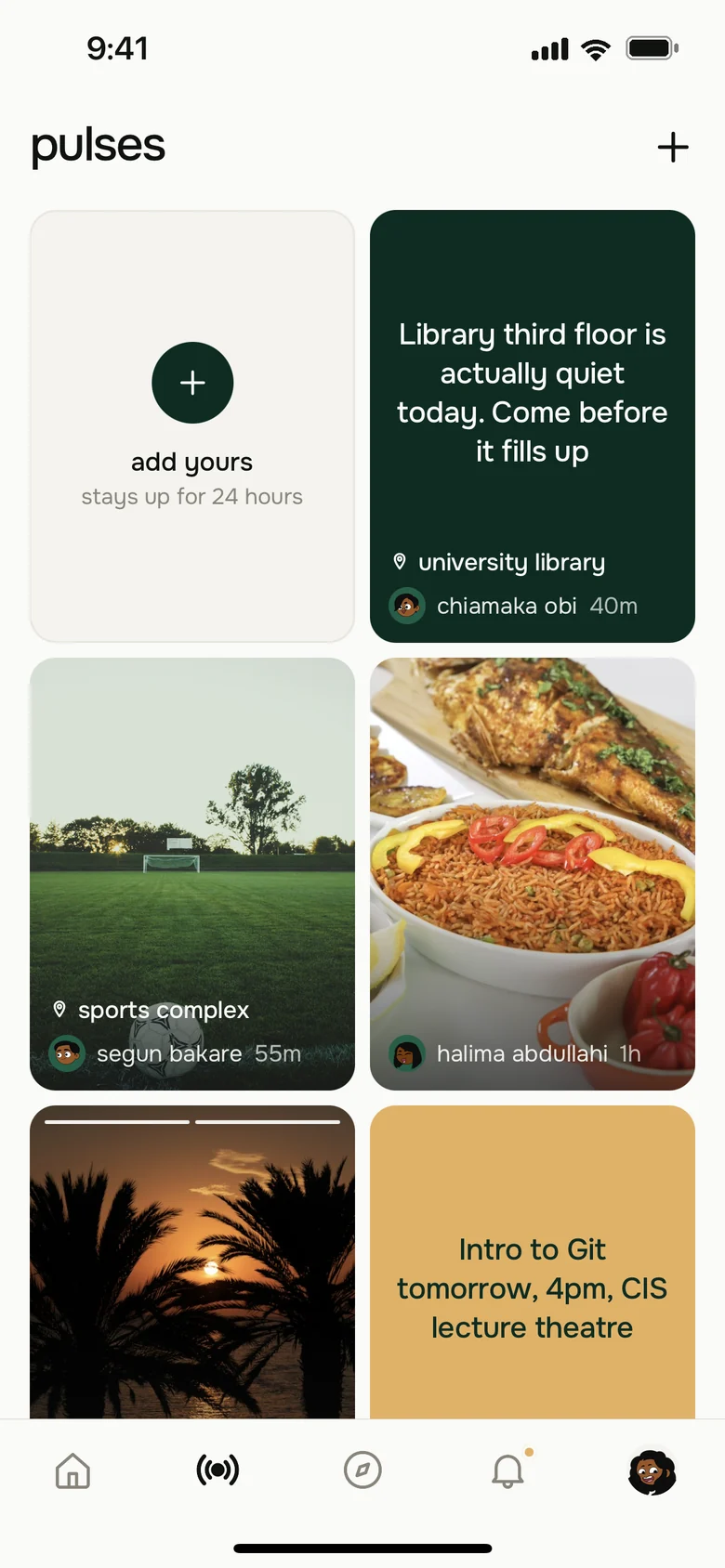
What's happening on campus right now.
Post a photo or a line from where you are. The library's third floor is quiet, the match at the sports complex has started. Pulses disappear after 24 hours.
From download to your feed in about a minute.
- 1
Get Huddle
It's free on Google Play. The iPhone app is with Apple for review.
- 2
Sign up
Use your email address or your Google account. You don't need an invite code.
- 3
Pick your department
Choose your faculty and department, and your spaces are waiting on the feed.
You decide who you hear from.
Report any post, comment or profile and a person on the Huddle team reads it. Block anyone and they stop showing up for you. There are no ads, and you can download your data or delete your account from Settings.
See what your department posted today.
Huddle is free on Google Play. The iPhone app is on its way.